


Family GPS Locator・Kids Safety
4.652.00 Reviews
App Specs
- Version
- 1.501
- Updated On
- License
- Free
- Downloads
- 1,000,000+
- Developer
- Parental control & GPS tracker
- Categories
- Parenting
- Platform
- Android
Screenshots
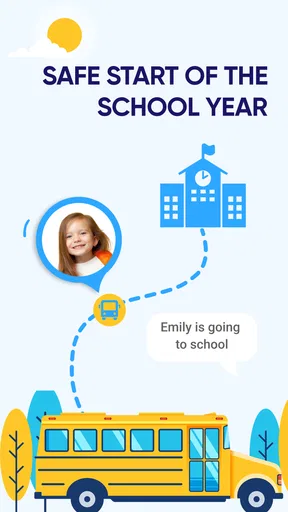
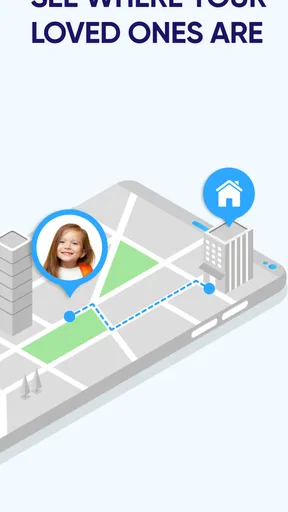
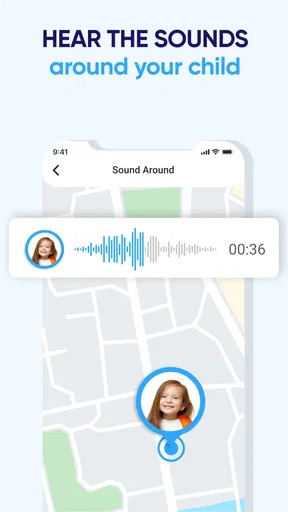
 Analysis by AppCompare
For a family location app, the real question is not simply whether I can see a child on a map. It is whether checking that map makes daily routines calmer, whether the child understands why location sharing is on, and whether the tool fits the family’s expectations about privacy. Family GPS Locator・Kids Safety is aimed at parents who want a shared way to keep track of family members, but I would treat it as a practical aid rather than a substitute for talking, planning, or responding to an emergency.
I would decide whether it suits us by looking at three things: which people need to share locations, how often the family expects to check in, and how comfortable everyone is with ongoing location sharing. A parent who only needs a one-off location may be better served by a normal call or message. A household coordinating school pickups, independent trips, and changing plans may find a family locator more convenient, provided everyone agrees to use it.
Start with a family agreement, not the map
Before asking a child to install a tracker, I would explain what it is for and when I expect to look at it. That matters especially with older children, who may reasonably see constant monitoring as intrusive. Agreeing on a simple rule—such as checking the app when a pickup is delayed, rather than watching a child’s movements all afternoon—makes the tool easier to trust and less likely to become a source of arguments.
I would also decide who belongs in the family circle and what each person is expected to do if a location alert arrives. A location can help a parent understand where a child is, but it does not explain why they stopped or whether plans changed. A calm message or phone call is still often the best next step. This distinction is important: a map can provide context, not a complete account of someone’s day.
The app is free to install, with optional in-app purchases ranging from $0.99 to $99.99 per item. I would check what a paid option actually adds before committing to it, and consider whether the free experience already covers the family’s routine. The app is rated for Everyone, has an average rating of 4.6 from around 6.7K ratings, and has over 500K installs. Those figures can help set expectations about its audience, but they cannot tell me whether its approach to sharing is right for my household.
How it fits into everyday family life
Family GPS Locator・Kids Safety is like having a virtual guardian angel keeping an eye on your loved ones. This nifty app is designed to help parents track their kids’ whereabouts in real time. As a parent myself, I can’t stress enough how reassuring this can be. The app uses GPS technology to provide accurate locations, ensuring peace of mind when the little ones are out of sight.
That reassurance is most useful when a location check answers a practical question. If a child is walking home from school and is later than expected, seeing a location can help a parent decide whether to wait, call, or arrange a pickup. It is less helpful as a minute-by-minute measure of whether a child is behaving as expected. I would use the map to resolve uncertainty, not to turn ordinary independence into continuous supervision.
Worth Reading Before You Choose

Baby Panda World Brings Quick Play to Modern Phones, but Its Game Library Feels Busy

ESPN’s Live Game View Makes Following Close Games Easier

QuizzLand Review: A Good Fit for Short Trivia Breaks, Not Every Player

Basketball Stars: Multiplayer Is Fast, but Can It Recover When Matches Go Wrong?

WEBTOON Turns Phone Updates Into a Better Reading Routine

Link to Windows Runs on Shared Habits, Not Social Feeds
Setting It Up
Getting started is a breeze. You simply download the app, sign up, and invite family members to join your circle. Each member installs the app on their device, and voila, you’re all set to start tracking. The user interface is user-friendly, so even those who aren’t tech-savvy will find it easy to navigate.
The practical catch is that the setup only works as a family routine if everyone who needs to participate has joined and knows how to use the app. I would test the arrangement before relying on it for a time-sensitive pickup: confirm that the relevant family members can open the app, understand the location display, and know how to contact one another. That small trial can reveal confusion before it matters, without making the first real use an urgent one.
For a household with both Android and iOS devices, cross-platform support is useful because it avoids choosing a family locator based on just one person’s phone. The current version is 1.484, and the stated minimum Android requirement is version 7.0. I would still check that each family member’s device can run the app before planning around shared tracking.
Features That Stand Out
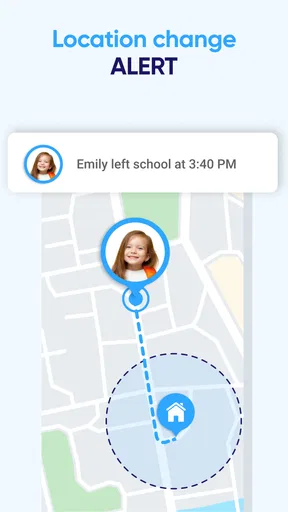
One of the standout features is the real-time location tracking. Whether your kids are at the park or heading to a friend’s house, you’ll always know where they are. Another cool feature is the geofencing capability. You can set up safe zones, like home or school, and get notifications when your child enters or leaves these areas. It’s like having a security system for your family.
Geofencing is most useful when it reduces needless check-ins, not when it creates a new reason to watch every movement. For example, a parent can use a school or home boundary as a prompt to notice a routine arrival or departure, then follow up only if something seems out of the ordinary. I would keep the number of zones focused on places that genuinely matter; too many alerts can become background noise and make important ones easier to overlook.
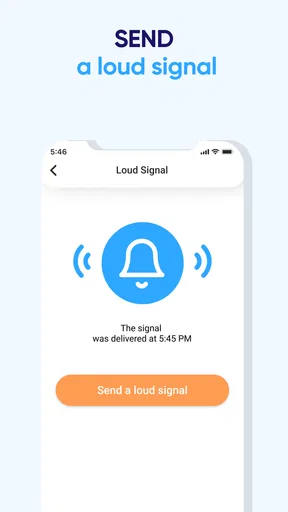
There’s also a panic button feature which your kids can use if they find themselves in an uncomfortable situation. When pressed, it sends an instant alert to all family members, along with the location. It’s a comforting thought to know help is just a tap away.
A panic alert is a useful route to getting a family member’s attention, but I would not present it to a child as a guarantee of rescue or as a replacement for local emergency services. Before depending on it, I would show the child how to find and use the control and talk through whom to contact if no family member responds. A simple practice conversation can make the feature less intimidating and clarify what the child should do next.
There is also a trade-off between helpful alerts and alert fatigue. If a family receives notifications for every routine movement, people may start ignoring them. I would choose only the boundaries that answer a real planning question and agree on what an alert should trigger. The goal is a useful nudge, not a stream of updates that everyone learns to dismiss.
Staying Connected
Aside from tracking, the app also allows you to communicate with family members through the built-in messaging feature. This means you can check in without having to switch between different apps. Plus, the app supports both Android and iOS, so no one gets left out regardless of their device preference.
Messaging can make a location check less abrupt: instead of asking why someone is at a particular place, a parent can send a straightforward “Are plans different?” and let the child explain. I would still keep the family’s usual communication method available. If someone is not looking at the app, a built-in message may not be the fastest way to reach them, so it is sensible to agree on what channel to use for urgent contact.
Privacy, boundaries, and the alternatives
In today’s digital age, privacy is always a concern. Rest assured, Family GPS Locator・Kids Safety takes this seriously. The app uses encrypted connections to protect your data. Only invited family members can access location information, keeping outsiders at bay.
Even with those protections, location sharing deserves a clear family boundary. I would tell children who is in the circle, when I might check their location, and how they can raise concerns about the arrangement. I would also revisit the agreement as children get older or their routines change. A setup that feels reassuring for a young child may need a lighter touch for a teenager who travels independently.
Compared with ordinary calls and texts, a locator can answer “where are you?” without requiring someone to reply, which helps when a parent is coordinating several pickups. Compared with a phone’s built-in location-sharing tools, a dedicated family app may feel more centered on household coordination, especially when the family wants shared location and messaging in one place. The trade-off is another app for everyone to install and maintain. A simple messaging group is a better fit if the family rarely needs location checks, while a device’s native sharing option may suit a household that already uses it comfortably.
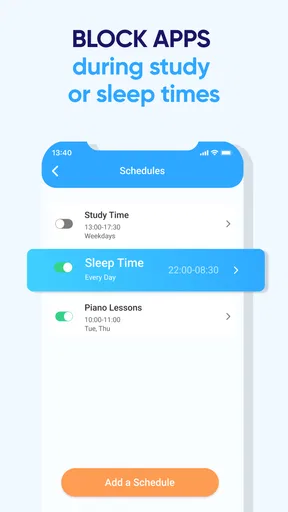
Families looking for broad parental controls rather than location coordination may also prefer a different kind of tool. A GPS-focused app is not automatically the right answer for screen-time rules or content management. I would choose based on the actual problem: locating family members and coordinating routines are different needs from managing a child’s device use.
My Personal Take
As someone who’s constantly juggling work and family life, this app feels like a lifesaver. It bridges the gap between freedom and safety for kids, offering them the independence they crave while ensuring parents have peace of mind. Knowing I can check up on my kids without hovering over them is a huge relief.
A realistic example is a day when one parent is delayed at work and another is handling after-school plans. A quick location check can help the adults decide whether the child is already on the way home or whether they need to coordinate a pickup. If the location suggests plans have changed, a short message gives the child a chance to explain. That is a more balanced use than repeatedly refreshing the map while a child is simply spending time with friends.
However, it’s crucial to have a conversation with your kids about why you’re using the app. Trust is a two-way street, and this tool should be used to enhance safety, not to micromanage every move.
I would skip it if the family is not comfortable with ongoing location sharing, if the child has no suitable device, or if the main need is something other than finding and coordinating family members. It may also be unnecessary for parents who can already handle occasional check-ins with calls or messages. In those cases, adding a tracker can create more setup and discussion than practical value.
Before making it part of the routine
One question parents often have is whether every family member needs to participate. In practice, shared tracking only helps with the people who have joined and are using the app, so I would confirm that the family members central to a routine are included before relying on it. Another sensible question is whether it works across mixed phones; support for Android and iOS makes that arrangement possible, though each person still needs to install and use the app.
Parents may also wonder whether a location alert means something is wrong. Usually it is best treated as information to check, not a verdict. A child might be somewhere unexpected because plans changed, a pickup shifted, or the location simply needs context. I would follow an alert with a neutral question before assuming there is a problem.
The cost question is straightforward at first: the app is free, while optional purchases are available. I would not pay simply because the family wants basic reassurance; first try the routine the household actually needs, then decide whether any paid option is worth considering. Since the listed purchase range is broad, read the purchase details in the app carefully rather than assuming every family needs the same upgrade.
Conclusion
In a world where safety is paramount, Family GPS Locator・Kids Safety is an invaluable tool for any family. It combines technology and peace of mind, allowing parents to breathe a little easier while empowering kids with a sense of security. If you’re looking for a way to stay connected with your family and ensure their safety, this app might just be your new best friend. So why wait? Give it a try and see how it works for you. You can find it on both the App Store and Google Play.
My recommendation is more measured: I’d try it if location-based coordination would solve a recurring family headache and everyone is willing to agree on respectful boundaries. Its combination of location, zones, alerts, and messaging can make everyday check-ins easier, but it works best when adults use those tools sparingly and children know what to expect. If your household values occasional contact over shared tracking, a call or existing phone feature may be the better choice.
Pros
- Real-time location tracking for peace of mind.
- Easy to set up and use for all family members.
- Customizable alerts for specific zones.
- Battery usage optimization for longer tracking.
- Supports multiple devices on one account.
Cons
- Requires constant internet connection for accuracy.
- Location updates can lag in remote areas.
- Subscription needed for premium features.
- Privacy concerns with continuous tracking.
- Can drain phone battery faster if not optimized.
FAQs for Family GPS Locator・Kids Safety
How does Family GPS Locator ensure the safety of my family members?
Family GPS Locator uses real-time GPS tracking to keep you updated on the location of your family members. The app offers geofencing features, allowing you to set safe zones and receive alerts when someone enters or exits these areas. This ensures you are always aware of your loved ones’ whereabouts for their safety.
Is my location data secure with Family GPS Locator?
Yes, Family GPS Locator prioritizes user privacy and data security. The app uses encryption to protect your location data from unauthorized access. Additionally, only people you authorize can view your location, ensuring that your personal information remains secure at all times.
Can I use Family GPS Locator on both Android and iOS devices?
Absolutely! Family GPS Locator is compatible with both Android and iOS platforms. The app offers seamless integration across different devices, ensuring that all family members can stay connected regardless of the smartphone they use, making it convenient for families with mixed device preferences.
What features does Family GPS Locator offer besides location tracking?
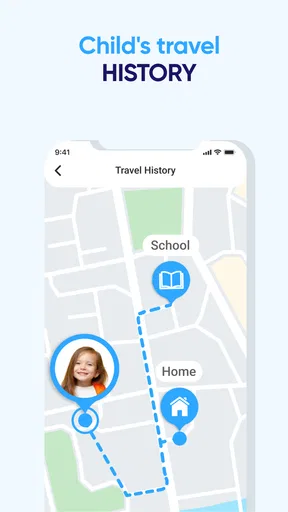
In addition to location tracking, Family GPS Locator offers features like SOS alerts, which allow family members to send emergency notifications with their location. The app also includes a check-in feature for updates, driving reports for monitoring driving habits, and a history log to review past locations.
Are there any subscription fees or in-app purchases in Family GPS Locator?
Family GPS Locator offers a free version with basic features. However, for advanced functionalities such as unlimited location history and premium customer support, a subscription may be required. The pricing plans are flexible, catering to different family needs, ensuring you get the most out of the app.


